
Pinterest is a great place to drive traffic to your blog, business, or website. However, managing a Pinterest account can be tricky and time-consuming especially if you are trying to post Pinterest content multiple times a day.
This is why having a Pinterest posting schedule and using the right tools help! With having a Pinterest schedule and scheduler, you are able to manage your time and marketing strategy more effectively.
With that in mind, I am here to give you some best practices on your Pinterest posting schedule and at the same time give you the best Pinterest schedulers out there for you to use!
Contents
Importance of having a Pinterest posting schedule
Imagine this: you’ve created a bunch of new pins with beautiful images, an optimized description and pin title, and a destination link to your site. But when you post it, no one’s online to see it.
You might have missed the perfect window when your audience is scrolling through Pinterest. And what is great content when nobody can see it?
This is where a posting schedule is super important to add to your social media strategy. By posting at the right time and frequently enough, you can make sure that more people see your Pins.
When your Pinterest audience sees your Pins regularly, they’re more likely to follow you, save your content, or click through to your website.
Plus, Pinterest’s algorithm loves active users, so being consistent helps your Pins show up more often.
Best Times to Post on Pinterest
The posting time of your Pins can make a big difference to your content strategy in terms of how many people will see and engage with your content.
The weekdays, especially Monday and Friday, tend to have the most active users on the platform. But don’t ignore the weekends, especially Sundays since it can also give you better results.
Sundays are popular for DIY, home decor, and meal prep Pins, as people are planning their week ahead. You may want to prioritize the time zone of the country or region you want to target.
For the time, Pinterest activity often peaks in the evenings, when people are winding down from their day. The best time to post is 8 PM to 11 PM. People love to scroll through Pinterest as they relax before bed.
I have another article about the best times to post on Pinterest that you can check out.
How Often to Post on Pinterest
If you’re just getting started, posting 5 fresh content per day for your Pinterest strategy is a great goal. This will help you stay consistent without overwhelming yourself with too much content.
Once you get into a rhythm, you can step up to posting 10 to 20 Pins per day. You might think this sounds like a lot, but don’t worry—you can mix new content with older Pins or repins from other people’s Pinterest boards.
Keep in mind that just like any other social media posts, quality always wins over quantity. Posting just a few high-quality, well-designed Pins will always perform better than flooding your Pinterest profile with a lot of low-quality content.
Benefits of Pinterest Schedulers
There are several reasons why adding Pinterest schedulers to your Pinterest marketing strategy can help content creators a lot! Here are some benefits:
1. Time Saver
One of the biggest reasons to use a Pinterest scheduler is to save time. Instead of logging into Pinterest multiple times a day to publish your Pins, you can upload your upcoming posts all at once and schedule them to go out at different times.
This way, you don’t have to worry about remembering to post every day—you do all the work at once and let the tool handle the rest. The scheduler automatically posts your Pins, even when you’re busy.
2. Pin Consistently
Posting regularly is important if you want to succeed on Pinterest. The platform rewards accounts that are active and post consistently. But it’s hard to keep up with posting every single day, especially when life gets busy.
A Pinterest scheduler helps you stay consistent without having to worry about it. You set it up once, and it will keep posting your Pins for you at the times you choose.
3. Batch Scheduling
Most Pinterest Schedulers allow you to batch schedule your content, which means you can plan and upload multiple Pins in one sitting for a consistent posting schedule.
Instead of stressing yourself out to post content every day, you can prepare your content calendar for the week or month ahead and let the scheduler do the rest. This gives you more time to focus on other tasks and takes the pressure off.
4. Increases Productivity
Managing social media can be stressful, especially when you’re running a business or handling multiple accounts which can usually lead to feeling burnout.
Using a Pinterest scheduler helps reduce that stress because you don’t have to worry about posting every day. It automates the process, giving you more time and space to focus on other things.
5. Reach More Pinterest Users
Your target audience might be spread across different time zones, meaning they’re online at different times.
Using a Pinterest scheduler allows you to post Pins at the right times for different parts of your audience, no matter where they are. This way, you can reach people when they are most active on Pinterest by scheduling your pins all throughout the day!
The Best Pinterest Schedulers
Looking for the best Pinterest scheduler for you to use? Here are some of the best tools to improve your Pinterest marketing efforts.
1. Blogtopin
Blogtopin is an AI-powered Pinterest automation tool and a Pinterest scheduler that has completely streamlined how I manage my accounts.
Before using it, creating and scheduling 10–15 pins a day — especially for multiple blogs — was exhausting. Even with traditional schedulers, I still had to design pins in Canva and manually choose boards.
With Blogtopin, I connect my site, submit its sitemap, and the AI automatically matches each post to the right board.
It bulk-generates pin designs with text overlays, keyword-optimized titles, descriptions, and even alt text in one click.
Filters ensure only high-quality, relevant images are used, and pins from the same post are spaced out to avoid spam flags.
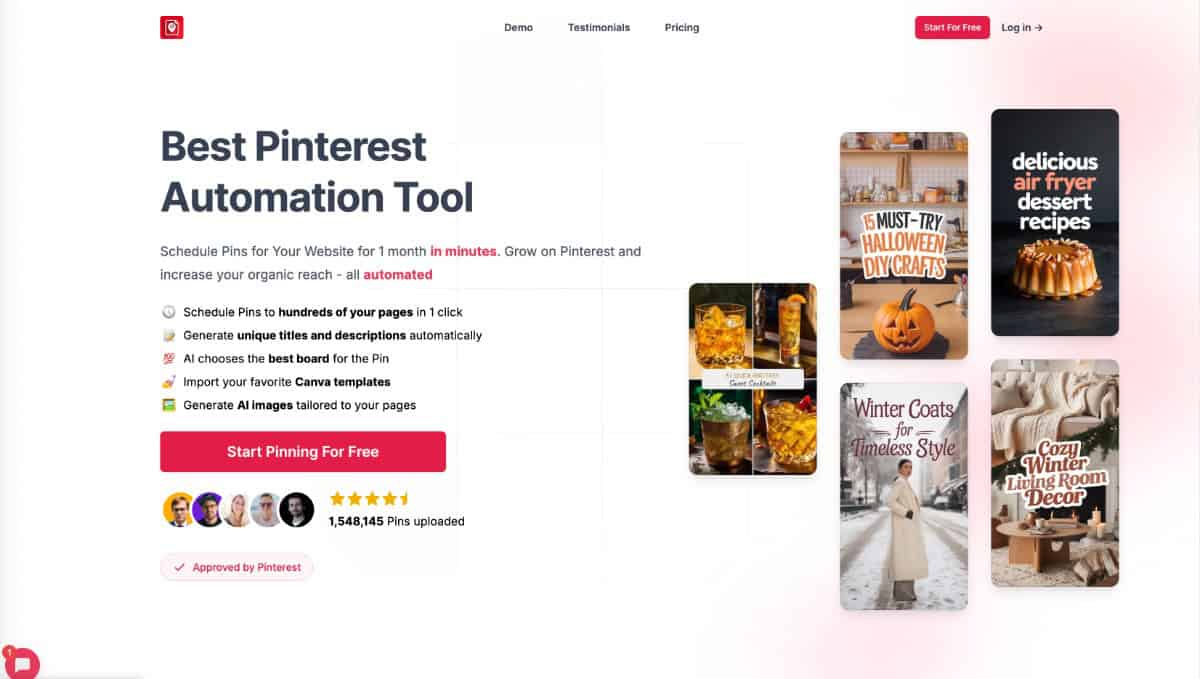
In under an hour, I can schedule a month’s worth of pins, and since using it, my Pinterest traffic has tripled.
Customizable templates, Canva imports, and even AI-generated backgrounds keep my pins looking fresh while maintaining my branding. Blogtopin connects through Pinterest’s official API, making it safe for single or multiple accounts.
It’s perfect for bloggers, agencies, or anyone posting frequently. You can try it monthly or annually and use my code “Anastasia20” for 20% off. For me, it’s turned Pinterest from a daily chore into full autopilot.
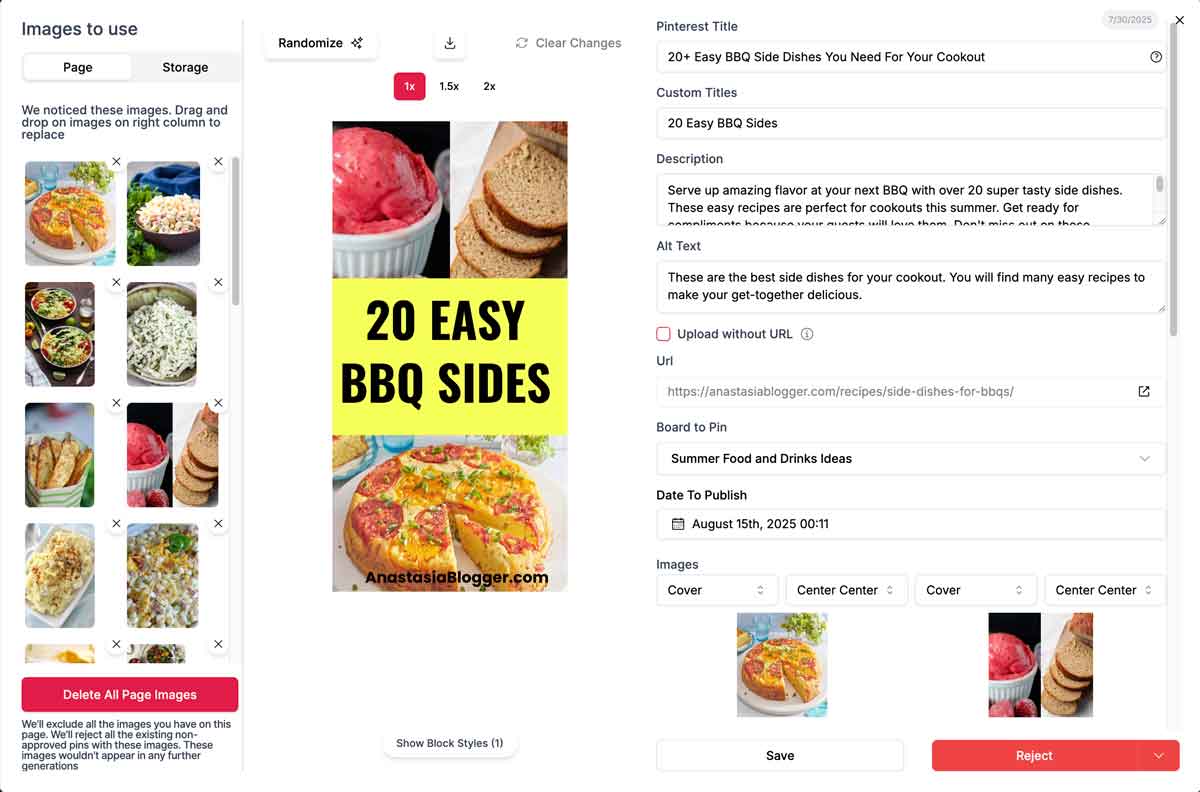
2. Tailwind
When it comes to Pinterest scheduling, Tailwind is personally my favorite and the most effective, well known scheduling tool. It’s specifically designed for Pinterest, making it a go-to for many bloggers, businesses, and marketers to schedule pins.
What I love about Tailwind is its Smart Scheduling feature where it analyzes when your audience is most active and suggests the best times to post.
You can also schedule posts and multiple Pinterest pins at once which can save you time from manually scheduling each post. Tailwind also provides detailed insights into your Pin performance, helping you see which posts are doing well and where you can improve.
Tailwind is a paid tool but they do offer a free trial for you to check how the platform works.

2. Pinterest Scheduler
Pinterest has its own built-in scheduler, which allows you to schedule Pins up to two weeks in advance.
While it’s not as feature-rich as Tailwind, it’s a great option for users who prefer to keep everything within the Pinterest platform. Plus, it’s free to use!
3. Buffer
Buffer is a popular social media management tool that supports multiple platforms, including Pinterest. Buffer can be a great tool for social media managers who are managing several social media accounts!
Buffer provides a visual preview of your Pins, so you can see exactly how your Pinterest feed will look before they go live.
They also have a very user-friendly interface that is easy to use. You can drag and drop posts into a calendar to schedule them at the times that work best.
Buffer also has built-in analytics that let you track engagement, clicks, and overall performance of your Pins.
Buffer offers a free plan that lets you schedule up to 10 posts per platform. Paid plans start at around $6 per month, depending on your needs.

4. Hootsuite
Another tool that’s popular for managing multiple social media platforms is Hootsuite. Like Buffer, it allows you to schedule content across several platforms, including Pinterest.
You can upload and schedule multiple Pins at once so you can be more time efficient. The platform also offers detailed reports and insights on your posts’ performance.
Hootsuite offers a limited free plan, but to get the most out of it, you can avail of their paid plan which starts at around $99 per month.

5. Later
Later is another great option for scheduling Pinterest posts. It’s mostly known as an Instagram scheduler, but it also supports Pinterest, making it a good choice if you’re active on both platforms.
Later offers a visual calendar where you can easily drag and drop your Pins to schedule them. You will also be able to see how your Pinterest feed will look before your Pins are published.
Later has a free plan that allows you to schedule a limited number of posts per month. Paid plans start at $12.50 per month, offering more features and additional posts.



I’m Anastasia and I’m a full-time blogger, online entrepreneur, and Pinterest marketing strategist. I help digital entrepreneurs and bloggers drive targeted traffic from Pinterest either through my online courses or through Pinterest consultancy.