Every week, dozens of new AI tools hit the internet — if you missed most of them, you didn’t lose anything. But some of them are changing how people work, create, and certainly how they leverage AI to make money! I’ve spent hours testing what’s out there… and today, I’m revealing tools that can replace entire workflows and can fuel an entire business model. Let’s start with the first one!
Contents
1. Gamma – Best AI tool for Presentations
I don’t know about you, but I need presentations all the time — for videos, client presentations, online classes — and formatting them used to eat up hours – ekh – let’s be honest – days and sometimes weeks of my time. I’m not a designer, so making things look polished has always been such a painful process.
When the whole AI wave started, I was waiting for one that could help me by turning plain text into ready-to-go presentations.
So this is my favorite AI presentation tool – Gamma. It turns rough ideas into clean, beautiful presentations in seconds. But it doesn’t stop there; you can also explore the power of AI in various other applications. You can also use it to build web pages, design content, even create documents. Still, what I love most is the presentation builder.
Here’s how it works: once you log in, you just click “Create New,” pick “Presentation,” and type a single sentence about your project. For example, I asked it to make a presentation about Pinterest marketing tips or beginners. Since I know this topic, it will be easy to see if what it generates makes sense.
It will suggest 8 cards, but you can decide if you want a longer presentation and add more cards using AI capabilities. And here’s the outline we’ve got. Well, by a quick look at the suggested headings in the outline looks like Gamma has a good idea about this topic.
We can choose one of the presentation themes. I like this theme called Atmosphere.
Below the outline, you’ll find settings for Image Source and License. If you’re using a Web search, you can filter for “free to use commercially.” Of course, you can also use AI-generated images if you want to avoid copyright issues altogether. AI-generated images will be 100% unique.
Now just hit the Generate button and let the AI do its magic.
A few moments later, the presentation slides have been generated and honestly, I have to say, I am just WOWed by the design and the content of these slides.
You can tweak everything with AI: rewrite, expand, translate — or just drag and drop your way through edits.
It’s not perfect out of the gate, I find that I usually need to change a few images here and there. But it gives you a solid starting point in minutes. What used to take me 8 hours now takes maybe 20 minutes.
Now, how do you make money with this?
I use it to make presentations for my tutorials and video courses. If you are a blogger or Youtuber like me, or you have a lot of written materials on a certain topic, you can quickly repurpose this content into lead magnets or info products with Gamma.
A very typical use case is when I submit my video script text to the tool and get presentation slides which I can show in my videos as a background or illustrations to make the videos more dynamic. This tool alone boosted my productivity, and I now spend about twice less time preparing presentations for my videos.
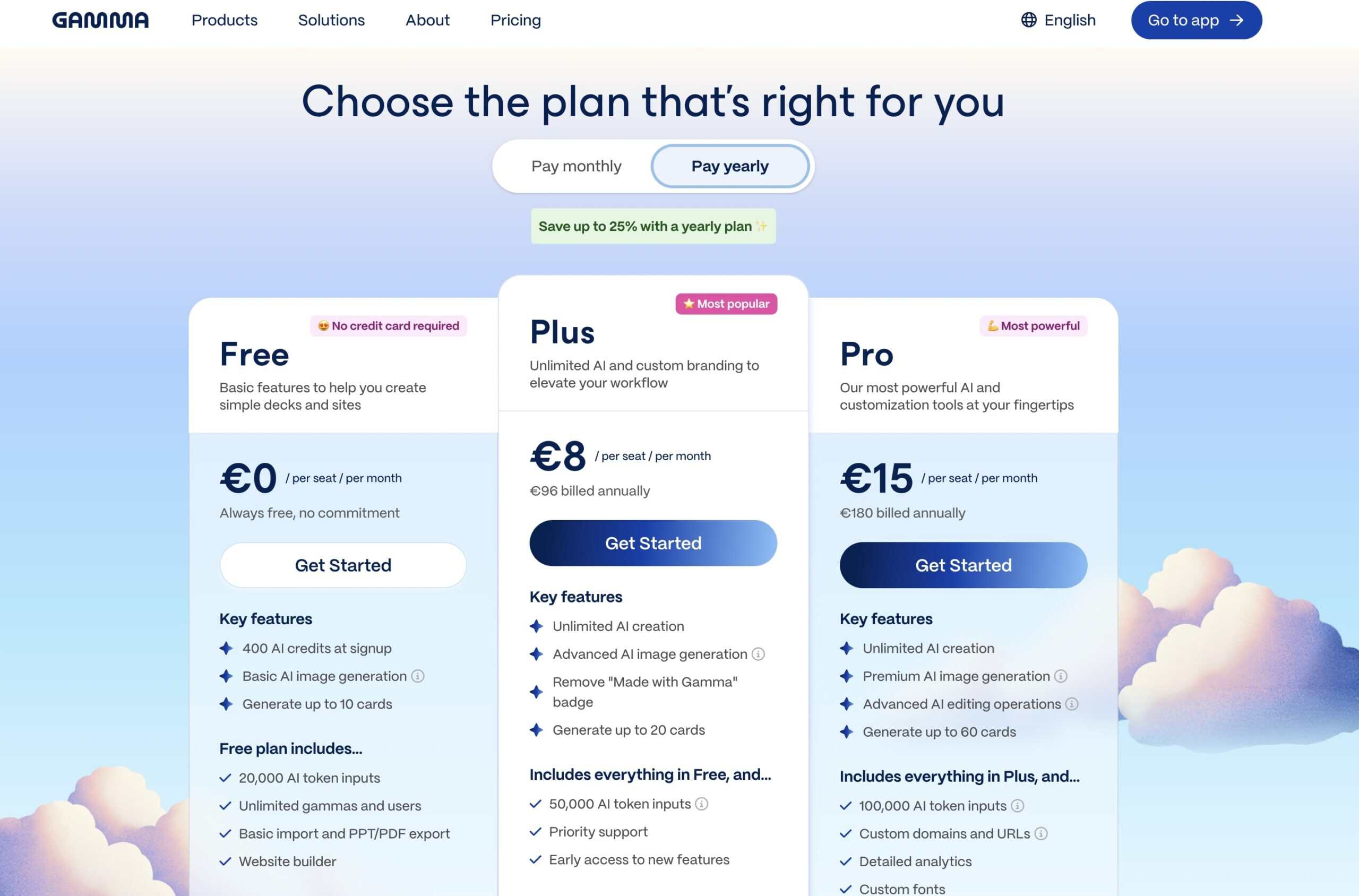
Gamma offers a free plan that’s quite generous and if you don’t need to create presentations every day, you can probably stick to the free plan for a very long time.
2. Hostinger’s AI WordPress Blog
This is another AI-powered tool that I enjoy using in my business right now.
If setting up a WordPress website or blog sounds overwhelming, I totally get it, and I used to feel the same. But don’t worry; AI tools are designed to simplify your tasks. This process can be ridiculously easy if you set up your blog with Hostinger’s WordPress-managed hosting plans.
You just click a few buttons, and their AI website builder sets up a full WordPress blog for you. Seriously — homepage, blog layout, sample posts — all done in a few minutes. No coding or design skills are needed. And what you get is an actual WordPress website, so you can get access to any WordPress plugins you might ever need in the future.
And as I talked about Pinterest affiliate marketing, Hostinger is perfect for it because they’ve included a built-in Amazon affiliate plugin — completely free with your hosting planbuilt-in Amazon affiliate plugin — completely free with your hosting plan.
You can connect your Amazon Associates account to your blog even if you didn’t make 3 sales in the past 180 days. And then you can pull products directly into your posts with just a few clicks. You can add single product blocks, full product lists, or even beautiful comparison tables — all formatted and linked for you automatically. No need to copy-paste affiliate links or manually build anything.
This plugin alone would normally cost you extra — sometimes hundreds of dollars per year — but with Hostinger, it’s part of the package. You also get an AI content generator so you can use AI tools inside of the WordPress blog to help you write your posts faster.
And I have a more detailed tutorial on building a blog with Hostinger and adding affiliate links, I will link it for you up there and in the description below.
Try Hostinger AI WordPress blog – use coupon Anastasia for an extra 10% off.
3. Arc Ads – AI Viral UGC Videos
If you are into selling products online and have been paying UGC (user-generated content) to make videos about your products so that you can use them in ads, then I have big news for you.
You don’t have to pay for each ad anymore, thanks to the availability of AI technologies. You can now make these UGC reviews with AI. Here’s how to do it.
You can use Arcads, one of the best platforms for generating realistic AI UGC videos. Choose from hundreds of AI actors, paste your script, and generate a video. You can even record your voice and have it mapped onto an AI creator for a more authentic feel.
Just look at them; it’s hard to believe that these are all AI actors.
Then, take that video into CapCut. Add background removal, subtitles, and a b-roll, and polish it up in minutes.
And the best part? Once you find a winning ad, you can duplicate the script and generate variations with different AI actors, voices, or styles — no need to shoot new video ads!
This cuts our ad production time from hours to minutes — and lets you scale way faster, without hiring or filming.
If you want to try Arcads, the link is in the description, as are all the other AI tools, including an AI assistant I mentioned today. If you liked this breakdown, hit like and drop a comment with what you want me to make a more detailed tutorial on with this AI tool.
4. Softr – No-Code AI Platform
There’s an AI tool right now that taps into a business model most people forgot about — but it’s quietly making new millionaires fast.
What is the model? Building your own apps. Back in 2012, everyone wanted to create the next big app after the App Store exploded. But unless you had tens of thousands of dollars or serious coding skills, it just wasn’t realistic.
Now? That’s completely changed — thanks to no-code platforms like Softr.
With Softr, you can build powerful apps without touching a single line of code. Just type in your idea — say, a dog-walking app — and the AI builds a first version for you. From there, it’s a simple drag-and-drop process. You can test ideas fast, and if it clicks, you’re off to the races.
And if your app grows, you can move to more advanced platforms like Bubble.io — another no-code builder that’s already helped tons of creators launch six-figure businesses. One example? Chad built a legal app in 10 minutes with Bubble and scaled it to over $100K per month within a few months. That’s the kind of leverage no-code gives you.
5. SEOWriting AI – Best Writing Assistant
Having a reliable writing assistant can be the difference between mediocre and outstanding content. SEOWriting AI stands out as one of the top writing assistants available, combining advanced artificial intelligence with SEO best practices to help users create high-quality, optimized content effortlessly.
Could you use ChatGPT to generate texts? Yes, of course. But this is a more advanced AI tool that helps you with the SEO of your website, and it works on different AI models, not just ChatGPT, which can give you a competitive edge.
Key Features:
1. SEO Optimization
SEOWriting AI is designed with SEO at its core. It analyzes keywords, search trends, and competitor content to suggest optimal keyword placements and related terms, ensuring that your content ranks higher on search engines.
2. Content Quality Enhancement
The platform utilizes natural language processing to enhance the quality of writing. It offers grammar checks, readability improvements, and style suggestions, making your content not only SEO-friendly but also engaging and easy to read.
3. Topic Suggestions
Struggling with writer’s block? SEOWriting AI can generate topic ideas based on trending keywords and your niche, helping you stay relevant and informed on what your audience is searching for.
4. Plagiarism Checker
Originality is vital in content creation. SEOWriting AI includes a built-in plagiarism checker to ensure your writing is unique, safeguarding your reputation and improving your chances of ranking well.
5. Multi-Platform Integration
Whether you’re using WordPress, Google Docs, or other content management systems, SEOWriting AI integrates seamlessly, streamlining your workflow and allowing for easy content publishing.

I’m Anastasia and I’m a full-time blogger, online entrepreneur, and Pinterest marketing strategist. I help digital entrepreneurs and bloggers drive targeted traffic from Pinterest either through my online courses or through Pinterest consultancy.