Are you ready to start an online store but you do not have the money or time to sell physical goods? If so, good news for you because the Shopify platform lets you sell both physical and digital products!
With that in mind, I am here to introduce you to Shopify, how to sell on the platform, and the best digital products you can start with.

Contents
What are Digital Products?
Simply put, digital products are items people can buy and download directly to their digital devices like phones, laptops, tablets, etc.
Unlike physical products, digital goods do not require packaging, shipping, inventory management, or any physical stores which makes it perfect for those who are going to start as a small business with no extra money to invest in storage space, packaging items, and the like.
You only need to give your customers a download link to get their digital files!
Some examples of digital products include:
- eBooks: Like cookbooks, self-help guides, or how-to manuals.
- Digital art: Digital painting, animation, and more.
- Online Courses: Lessons on topics like business, tech skills, and more.
- Music and Sounds: audio files like songs, beats, sound effects, or audiobooks.
- Design Templates: Email templates, tools for graphic designers or marketers, Instagram templates or Photoshop presets.
- Software or Apps: Downloadable tools, games, or browser plugins.
- Stock photos and videos
What is Shopify?
Shopify is an online platform that helps people create their own online stores to sell products or services and reach a global audience.
It’s like a one-stop shop for creating and running a business online even without knowledge or experience in building a website!
One of the best things about Shopify is how simple it is to use and how you can easily reach potential buyers. It provides customizable templates, so you can make your store look professional without needing to hire a designer.
If you need an introduction to this platform, you can read my article here all about Shopify.

Can you sell Digital Products on Shopify?
Yes, you can sell almost anything on Shopify, including physical items like clothes, digital products like eBooks, or even services like online classes.
Shopify even has a free app called Digital Downloads that makes it easy to upload your files and deliver them automatically to buyers.
Benefits of selling Digital Products on Shopify
1. User Beginner Friendly
You don’t need to be a tech expert to create a Shopify store. The platform is user-friendly and everything is straightforward – from adding products to customizing your store’s design and product pages.
2. Instant Delivery
Shopify now has a free app called Digital Downloads that lets you upload your files and automatically send them to your customers once they make a purchase.
3. Reach a Large Audience
You can sell to people all over the world. Shopify supports many currencies and languages, making it easy to attract international customers.
4. Secure Payments
Shopify supports trusted payment options like PayPal, Stripe, and credit cards, giving your customers peace of mind when they buy from you.
How to Set Up a Shopify Store for Digital Products
Excited to start your Shopify journey? Here are some simple steps you need to follow to start selling!
1. Identify your niche and products
Before starting your store, choosing your niche and deciding what products you’ll sell is important. You can research the market to find trends, learn about competitors, and understand what customers like, or focus on selling items you enjoy creating.
The next step is to decide if you want to sell physical products or digital items. It’s a good idea to have a basic plan for your brand and a clear vision for your store before you begin selling.
2. Sign up for Shopify
Go to Shopify’s website and create an account. You can start with a free trial so you can explore the platform without spending any money right away.
Once you’ve signed up, you’ll have access to your store dashboard.
3. Choose a Theme
Shopify offers a variety of themes (free and paid) that determine how your store looks. For starters, I recommend choosing a clean and professional theme that’s easy to navigate.
You can preview and customize these themes without any coding.

4. Install the Digital Downloads App
Shopify’s Digital Downloads app is essential for selling digital goods. It lets you upload your files (like PDFs or MP3s) and sends them automatically to customers after they complete their purchase.
To install it:
- Go to the Shopify App Store.
- Search for “Digital Downloads” and click “Add App.”
- Follow the instructions to connect it to your store.
5. Add Your Products
After signing up, you’ll go to the Shopify admin dashboard, which guides you through the steps to set up your store. The first thing to do is add your products!
Click on the “Products” tab in the dashboard and then choose “Add product.” Fill in details like the product’s name, description, price, and pictures.
You can also group your products into categories or collections to help customers easily browse your store.
6. Set Up Payments
Shopify lets you choose from many payment options, such as Shopify Payments, PayPal, Stripe, and others. Pick the ones that work best for your customers and your business.
You can also set up shipping rates and options depending on where you and your customers are located.
Customize your settings to include free shipping, special discounts, or other features that fit your store.
7. Optimize for SEO
Make your Shopify store easy to find online by optimizing it for search engines. This helps bring more visitors to your store and attracts organic traffic.
To do this, include relevant keywords in your product titles, descriptions, and meta tags. Also, make sure your site loads quickly—many people leave if a page takes longer than 5 seconds to load.
8. Launch Your Store
Before you launch your Shopify store, double-check everything especially your product listings, checkout process, and payment options. Check how your store looks and works on different devices to ensure it’s responsive and loads quickly.
Once everything is working perfectly, you’re all set to launch your store and start selling online!
Where to Promote Your Digital Products
1. Pinterest
People use Pinterest mainly to find ideas, and get inspired to buy something. Unlike Google, where users often search for something specific, Pinterest is more about exploring and discovering new things, whether it’s home decor, recipes, fashion, or gift ideas.
It’s a platform designed for creativity and planning, which makes it a great tool for influencing purchasing decisions.
In fact, 90% of weekly Pinterest users browse the platform to help them decide what to buy. Some are looking for products they want to purchase right away, while others are planning for future buys.
Because of these unique features, Pinterest is about four times better at driving sales compared to other social media platforms, making it a powerful tool for businesses looking to grow.
I talk more about this in my article about Shopify and Pinterest Integration.
https://youtu.be/7ZLAqoL0PSg?si=YFLs8XNj4fN3N-HT
2. Social media channels
Social media platforms like Instagram, Facebook, and TikTok are great places to promote your digital products and reach more people.
These platforms let you show off your products in fun and creative ways while helping you connect with potential customers.
A good strategy to promote your digital products is to share behind-the-scenes content to show how you make your products. For example, if you’re selling eBooks, you could post videos of you writing, designing, or editing your book.
Each platform has its own features that you can use to stand out. For example, you can post quick Instagram Reels, fun TikTok videos, or join Facebook groups related to your niche.
You can turn your followers into happy customers by consistently sharing helpful and creative content.
3. Blog posts
Writing blog posts about topics related to your digital products is a great way to bring in potential customers. A blog lets you share helpful information, show your expertise, and give people tips they can use.
When you write posts that answer common questions or solve problems, you attract readers who are already interested in what you’re selling.
An idea is to write step-by-step guides or tutorials to teach people how to use your products. You could also write about trends that people can use your products in.
Having a blog also helps people find your store through search engines like Google. The more helpful and interesting posts you create, the more likely people are to visit your site, explore your products, and even make a purchase.
Over time, blogging can help you grow trust with your audience and boost your sales.
4. Email marketing
Collecting email addresses from people who visit your website is a smart way to stay in touch with potential customers and keep them updated about your new products, sales, or special deals.
When you have an email list, you can reach out directly to your audience and encourage them to come back and shop again.
Regularly sending them updates helps keep your brand in their minds, which can lead to more sales.
A simple way to collect emails is by having a sign-up form on your website where visitors can enter their email addresses to get updates, discounts, or even a free offer.
5. Run Ads
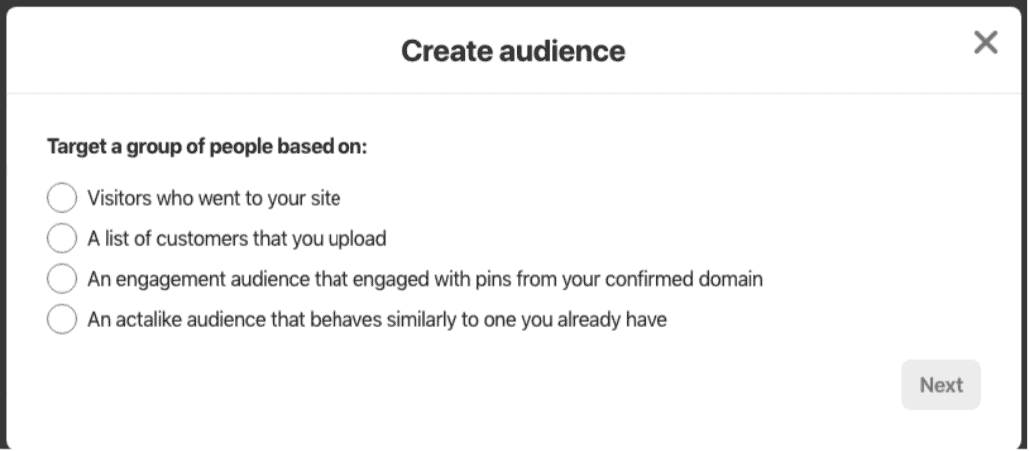
If you have some money to spend on marketing, consider running ads on platforms like Google, Facebook, and Pinterest. These ads can help you quickly get more people to visit your website.
The best part is that you can target your ads to specific groups of people based on their interests, location, or online habits, so you’re reaching the right audience.
For example, Pinterest ads are great if you’re selling things like digital products, design templates, or crafts because people use Pinterest for inspiration.
6. Collaborate with influencers
Working with influencers and creators to promote your products is a great way to reach more people and grow your audience.
You can reach out to influencers and do an X-deal where you give them your products for free, and they promote your digital products to their audience.
This works really well when the other creator’s audience is similar to yours, so you can reach people who might not have discovered your products yet.
Collaborating not only increases your visibility but also helps build relationships with other creators that could lead to more opportunities in the future.

I’m Anastasia and I’m a full-time blogger, online entrepreneur, and Pinterest marketing strategist. I help digital entrepreneurs and bloggers drive targeted traffic from Pinterest either through my online courses or through Pinterest consultancy.
