If I had to start my WordPress site all over again today, these are the 7 plugins I wouldn’t build a WordPress website without... Why? Because with over 59,000 plugins in the WordPress directory, choosing the right ones can feel overwhelming — especially when you’re just getting started.
After 8+ years of blogging and building WordPress sites for my own business, I’ve tested and trimmed down my toolkit to only the essentials — the plugins that actually speed up your site, boost your SEO, and protect your hard work.
Let’s dive in!
Contents
1. WordPress SEO Plugins – Get Found on Google
Want people to actually find your blog or site? Then an SEO plugin is a must. Search engines like Google, Bing, and others are the #1 source of traffic for most websites, and an SEO plugin helps you get your content seen.
The two best SEO plugins I’ve worked with are:
-
-
Yoast SEO – One of the oldest and most trusted tools. If you’re already using it, stick with it! (only now because of their 15th anniversary, you can upgrade to Yoast SEO Premium plan with an exclusive 15% discount, use code ANASTASIABLOGGER15)
-
Rank Math – My top recommendation for beginners. It offers more features in the free version, including:
-
-
Multiple keyword optimization
-
Automatic image SEO
-
Schema markup (rich snippets)
-
404 error tracking
-
If you’re starting fresh, check out Rank Math.

2. WP Caching Plugin – Boost Site Speed
Let’s be clear: no plugin can fix a badly built site. If your site is full of bloated themes, uncompressed images, and outdated plugins, speed tools won’t save you.
But if your foundation is solid, a caching plugin can seriously improve your WordPress website’s performance. boost your site speed.
Here’s what to look for:
-
CDN (Content Delivery Network) support from your hosting provider
-
Compatibility with your host’s server software
For example, if you’re using Hostinger (which I highly recommend for beginners) use code ANASTASIA for an extra 10% OFF), the LiteSpeed Cache plugin. This WordPress theme is a perfect match for your design needs. It:
-
Caches pages
-
Compresses files
-
Optimizes images
-
Reduces server load
And yes — no coding required!
3. Cookie Consent Plugin – Stay Legal (GDPR, CCPA, ePrivacy)
If you collect any data from visitors — including using tools like Google Analytics — you need a cookie consent plugin to comply with laws like GDPR and CCPA.
My favorite is Cookiebot CMP from Usercentrics.
-
It automatically scans your site for cookies, ensuring compliance with best practices for WordPress SEO.
-
Blocks them until the visitor gives permission
-
Works on WordPress, Shopify, Wix, and more
It’s free for sites with under 1,000 sessions/month. Paid plans start at just $8/month.
4. Best WordPress Image Optimization Plugin – Load Images Faster Without Losing Quality
Images are often the #1 reason your site is slow — especially if you upload high-res photos straight from your phone or camera.
Here’s what I do:
-
Manually compress images before uploading (using tools like TinyPNG)
-
Then automate the rest with an image optimization plugin
My top pick? ShortPixel
-
You can buy a 30,000 image pack for $20 and it’ll auto-optimize new uploads
A great free alternative: Imagify
-
Optimize up to 200 images/month free
Both are beginner-friendly and won’t mess with your image quality.
5. Backup WordPress Plugin – Save Yourself From Losing It All
Picture this: your site crashes after a plugin update or hack. You lose months of work if you don’t have the best WordPress backup solutions in place.
That actually happened to me more than once in my first year of blogging. That’s why I always recommend installing a backup plugin from day one.
-
Full-site backups
-
Easy one-click restores
-
Cloud storage integrations (Google Drive, Dropbox)
-
Preset backup options are crucial for any WordPress user to prevent data loss.
It’s super easy to use — even if you’re not techy.
6. Email Form Plugin – Start Building Your Email List Early
A big mistake many bloggers make? Waiting too long to build their email list.
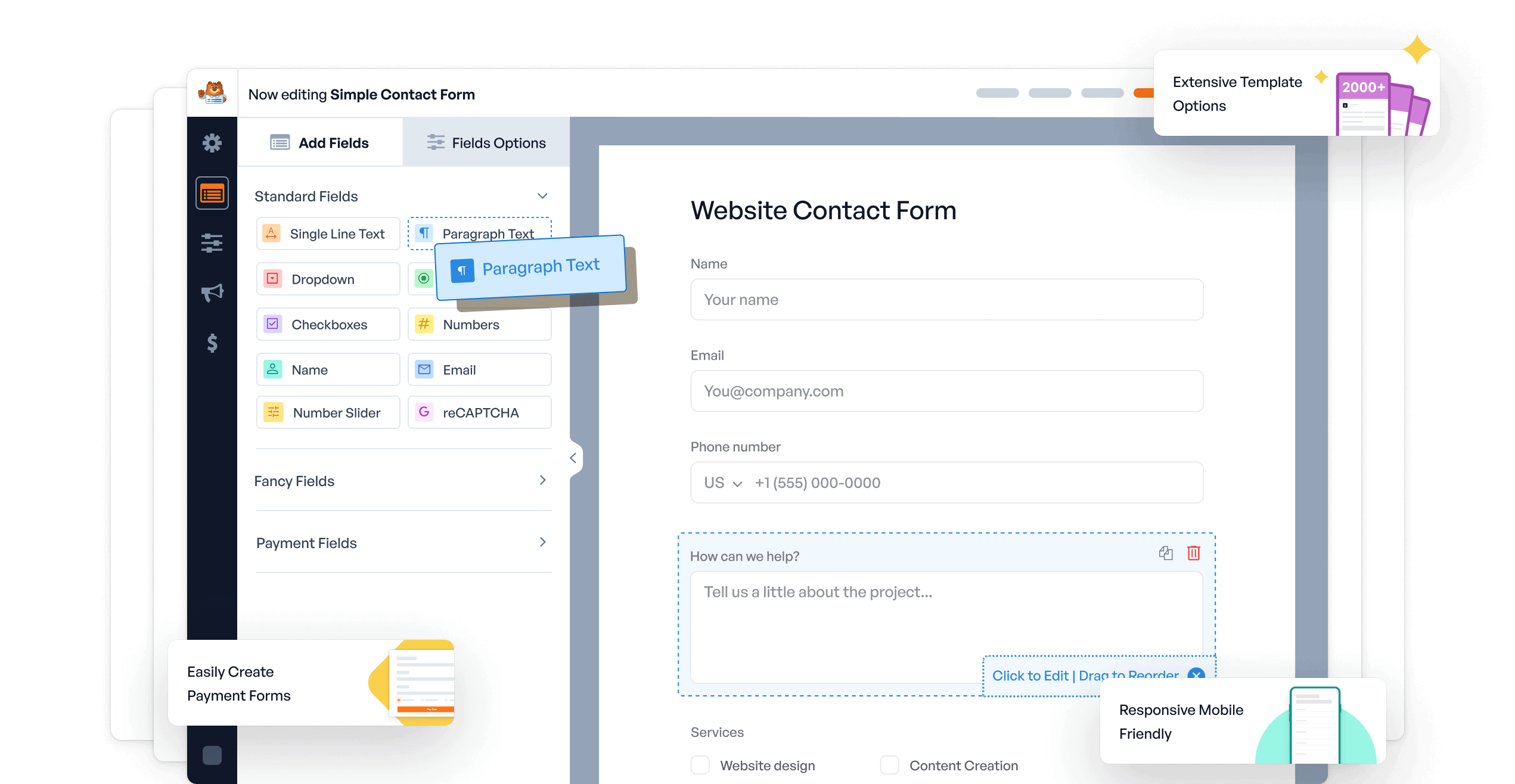
Start collecting emails from day one with a tool like WPForms:
-
Drag-and-drop builder
-
Over 6 million users
-
Free version available
-
Paid plans allow integrations with MailerLite, Mailchimp, and more
You’ll thank yourself later when that list turns into the best WordPress plugins for your site. traffic and sales.
7. Best WordPress Plugin for Social Sharing
The final plugin I always install is for social sharing buttons — because your content needs to be easy to share.
I use a plugin called Hubbub:
-
Free version includes basic sharing (including Pinterest)
-
Paid version ($49/year) unlocks advanced Pinterest settings

Since Pinterest is my #1 traffic source, I use the pro version to make sure my images are shared in the right size and format — especially on mobile. If Pinterest is important for your niche, this little plugin can make a big difference.
Want to see how I get 70k+ sessions/month from Pinterest? Watch my tutorial here.
Final Thoughts on WordPress Plugins Every Site Should Have
These 7 plugins cover the core needs of any WordPress site:
-
Getting found on search engines
-
Loading fast
-
Staying legal
-
Protecting your site
-
Growing your list
-
Sharing your content
Of course, there are other tools you might need later depending on your niche, but these are my non-negotiables.
If you want a printable version of this list or want to refer back later, check out the full list here.
And if this helped you, let me know in the comments — or share it with someone starting a site!

I’m Anastasia and I’m a full-time blogger, online entrepreneur, and Pinterest marketing strategist. I help digital entrepreneurs and bloggers drive targeted traffic from Pinterest either through my online courses or through Pinterest consultancy.